

Download Qik APK – Live Video Streaming, Mobile Broadcasting, Real-Time Video, Online Streaming, Mobile App
Overview
Qik is a mobile broadcasting application designed to enable users to stream live video directly from their smartphone camera to the internet. The software combines a mobile client with an online service, allowing individuals to share real-time footage with a global audience. This tool is particularly useful for those seeking an accessible way to broadcast personal events, live performances, or spontaneous moments without the complexity of traditional media production. The target users include content creators, social media enthusiasts, and anyone interested in live video sharing.
Qik supports multiple platforms, including iPhone, BlackBerry, Android, and Windows Mobile, with a Mac OS X version promised in the near future. The application simplifies the process of live streaming by requiring only a basic sign-up and a tap to start recording. Once activated, the phone’s camera feeds video and audio directly to a public URL hosted on Qik’s servers. The service also provides real-time viewer interaction through a built-in chat feature and live viewer count display.
Despite its ambitious goals, Qik is still in a developmental phase. While the core functionality is present, the user experience is hindered by technical limitations such as lag, unresponsiveness, and inconsistent video playback. The streaming delay, caused by server processing, means the video is not truly live. Nonetheless, Qik remains a pioneering tool in mobile live streaming and offers early adopters a chance to experiment with emerging technology.
Key Features & Capabilities
- Live Video Streaming – Capture and broadcast video in real time from your smartphone’s camera directly to the internet.
- Multi-Platform Support – Available on Android, iPhone, BlackBerry, and Windows Mobile, with Mac OS X in development.
- Simple Sign-Up and Login – Create an account with minimal details: username, email, and password. Access is immediate after registration.
- Real-Time Viewer Interaction – Viewers can engage through an in-built chat feature, exchanging messages with the broadcaster and other viewers.
- Location Sharing (Optional) – Broadcasts can display GPS-based location data, which can be disabled by the user.
- Multiple Sharing Options – Share your live stream via text message, email, Facebook, Twitter, YouTube, and Brightcove.
- Public Streaming URL – Each live stream is accessible via a unique web address (e.g., http://qik.com/yourusername).
These features make Qik ideal for live event coverage, personal vlogging, behind-the-scenes content, and real-time communication. The ability to stream directly from a mobile device lowers the barrier to entry for content creators who lack access to professional broadcasting equipment. While the service is still evolving, the core functionality provides a solid foundation for future improvements.
User Interface, Workflow & Performance
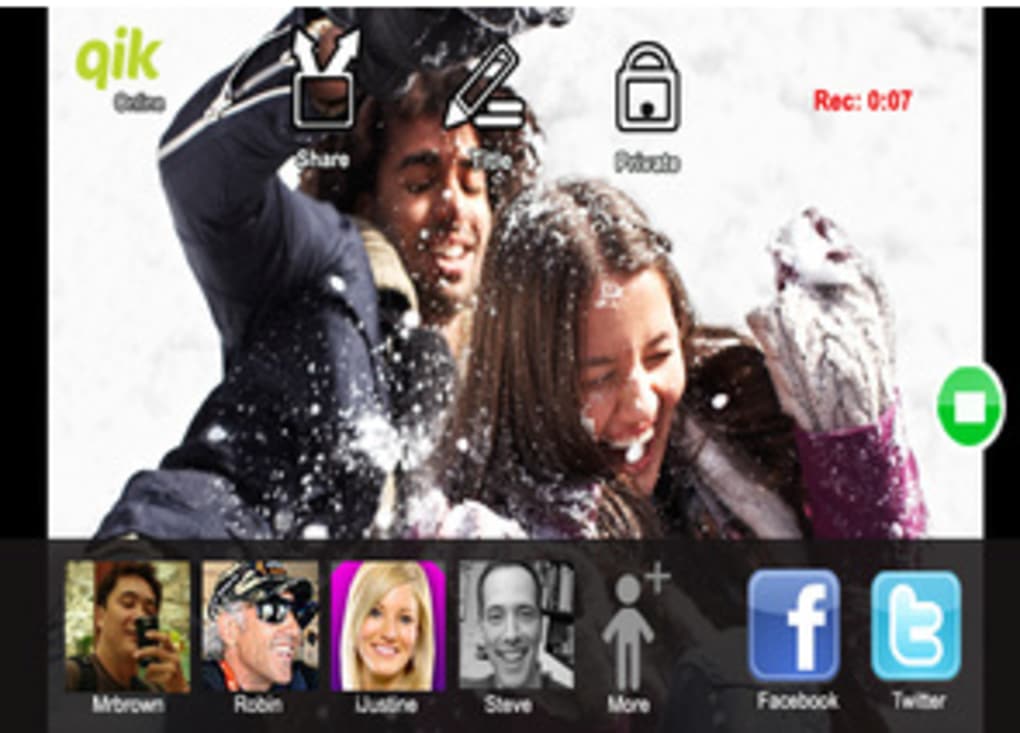
The user interface of Qik is designed for simplicity, with the main screen displaying the live camera feed. A prominent record button allows users to start broadcasting with a single tap. Navigation is minimal, focusing on the core function: streaming. The workflow is straightforward—sign up, launch the app, activate the camera, and begin recording.
However, performance is inconsistent. The application exhibits lag and occasional unresponsiveness, especially during high-traffic broadcasts. Video playback on the viewer side often suffers from buffering, and the streaming delay—caused by server-side processing—means the broadcast is not truly real-time. The developer did not specify resource usage details, so CPU and RAM behavior remain unclear. Stability appears to vary depending on network conditions and device performance.
General performance observations are based on typical software behavior patterns for live streaming applications. While the interface is intuitive, the underlying technical execution limits usability for reliable, high-quality broadcasts. Users should expect delays and potential disruptions, particularly in low-bandwidth environments.
Compatibility & System Requirements
Qik is compatible with Android, iPhone, BlackBerry, and Windows Mobile devices. A Mac OS X version is under development and expected soon. The application’s installation size and hardware requirements were not specified. The developer did not provide additional system requirements.
Platform compatibility information is limited to the listed operating systems. Users should ensure their device meets the minimum standards for running a live video application, including a functional camera, microphone, and stable internet connection. Exact system requirements were not listed.
Pros and Cons
Pros
- Simple, intuitive interface for live video broadcasting.
- Supports multiple platforms, including Android and iOS.
- Enables real-time viewer interaction via built-in chat.
- Offers flexible sharing options across social media and video platforms.
- Free to use with no upfront cost.
- Allows location sharing with user control over privacy.
Cons
- Limited by lag and unresponsiveness in the mobile client.
- Streaming delay prevents true real-time broadcasting.
- Video playback on the viewer side often experiences buffering.
- Performance heavily dependent on network quality.
- Lack of detailed system requirements and resource usage data.
FAQ Section
Is Qik available for Mac OS X?
The developer has confirmed that a Mac OS X version is in development and expected in the near future.
Can I use Qik without an internet connection?
No. Qik requires a stable internet connection to stream video from the device to the online service.
Is Qik safe to use?
Qik is a free mobile application that operates through a secure online service. Users should ensure their device has up-to-date security measures in place.
Does Qik offer free live streaming?
Yes, Qik provides free live video streaming with no cost for basic usage.
Can I disable location sharing during a broadcast?
Yes, users can choose to disable GPS location sharing at any time through the app settings.
Final Thoughts + CTA
Qik represents an early but promising step in the evolution of mobile live video broadcasting. While the current version is technically limited by lag, buffering, and streaming delays, its core concept is compelling. The ability to broadcast live from a smartphone with minimal setup makes it accessible to a wide audience. For content creators and social media users, Qik offers a unique opportunity to engage with viewers in real time, even if the experience is not yet seamless.
Despite its imperfections, Qik is a pioneering tool in the live streaming space. Its multi-platform availability, real-time chat, and easy sharing options make it a valuable utility for early adopters. If you're interested in experimenting with live video broadcasting and want to be part of the next big trend, Qik is worth downloading.
Download Qik APK now





.png)

